Learn Asian languages with phonetics ?Learning Chinese, Japanese or Korean? Our phonetics feature helps you read subtitles more easily by showing pronunciation guides (like Pinyin, Furigana or Hangul) directly within the subtitles during playback.
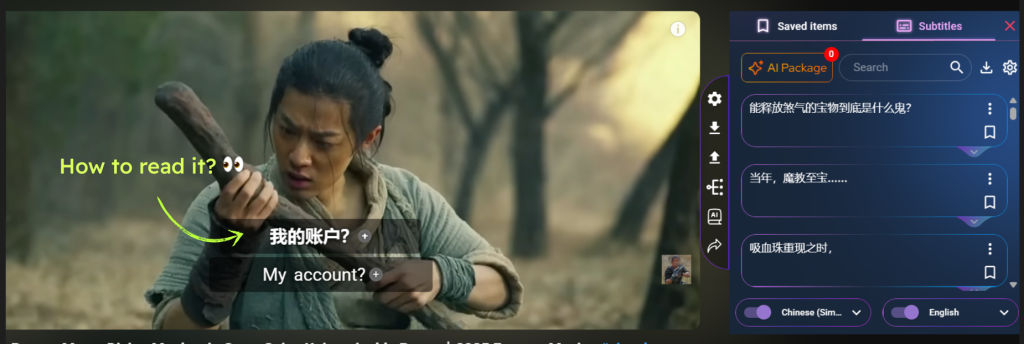
💡 Why it’s helpful:
- 🔤 Improves pronunciation – You can speak along with the video more confidently.
- 👀 Faster recognition – You don’t need to stop and look up how to read a word.
- 🧠 Better memory – Seeing both the script and pronunciation boosts vocabulary retention.
- 🧩 Smooth learning experience – You stay immersed in the movie without breaking flow.
✅ How to enable it:
1.Click the Settings icon in the sidebar
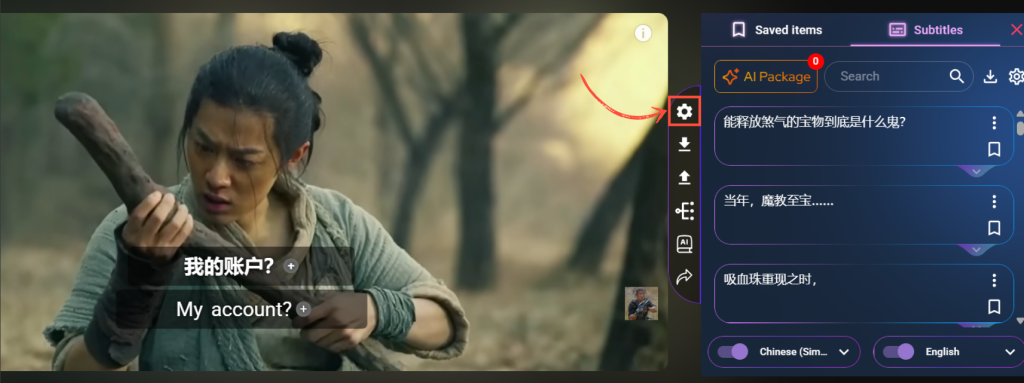
2.In the Subtitles section, scroll to the Phonetics part
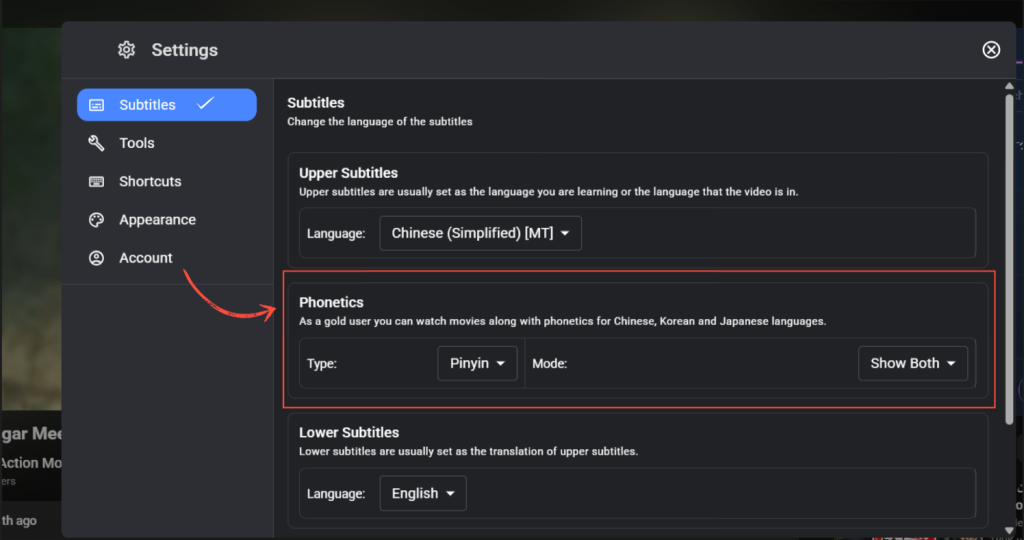
3.In the “Type” dropdown, select the phonetic style (e.g., Pinyin, Furigana, etc.) It will show within subtitles during playback.

🔸 Note: To use this feature, your top (learning) subtitle must be set to a supported language (Chinese, Japanese, Korean, or Thai).
This makes it easier to read, pronounce, and remember unfamiliar words while watching real content in your target language!
Ready for a visual adventure? Check out the video below to uncover the mesmerizing world of Asian languages. Just hit the links below!
Korean in Netflix : https://www.youtube.com/watch?v=0oH0zTT_aFE