Ever come across a great phrase or a new word you don’t want to forget?
With the Save feature, you can easily collect words and sentences from any video to review and study later — all in one place.
✨ This is a premium feature — make sure you’re signed in with a subscription to use it!
✅ Why it’s helpful:
- 📚 Save important vocabulary and key sentences you want to remember
- 🔁 Review everything later in one organized place
- 🧠 Personalize your learning journey with real content that matters to you
👣 How to use Save Words & Sentences:
🔸 Save a sentence:
1.While watching, beside the subtitle on the video or in the sidebar, Click the Save icon next to the sentence.
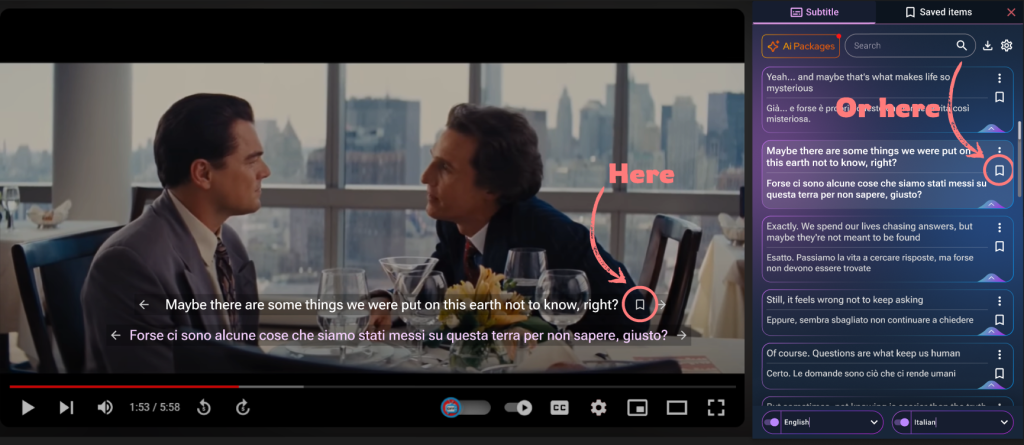
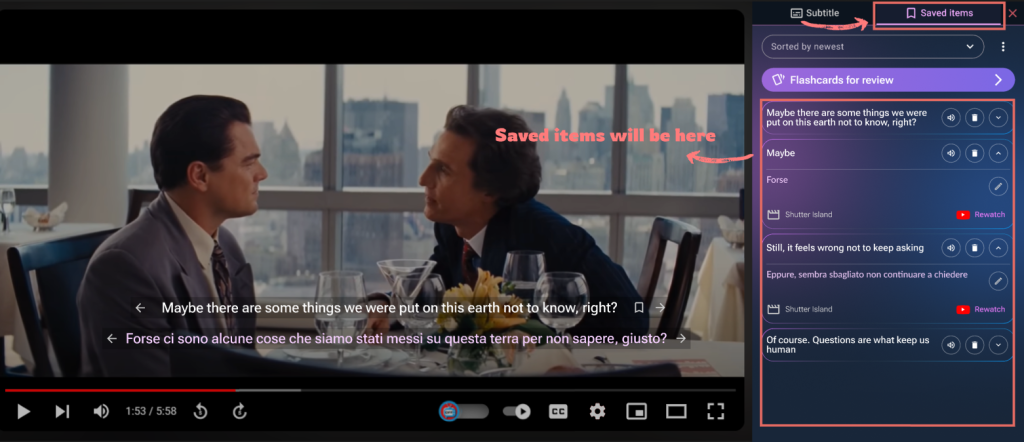
2.The sentence is now stored in your Saved Items tab
🔸 Save a word:
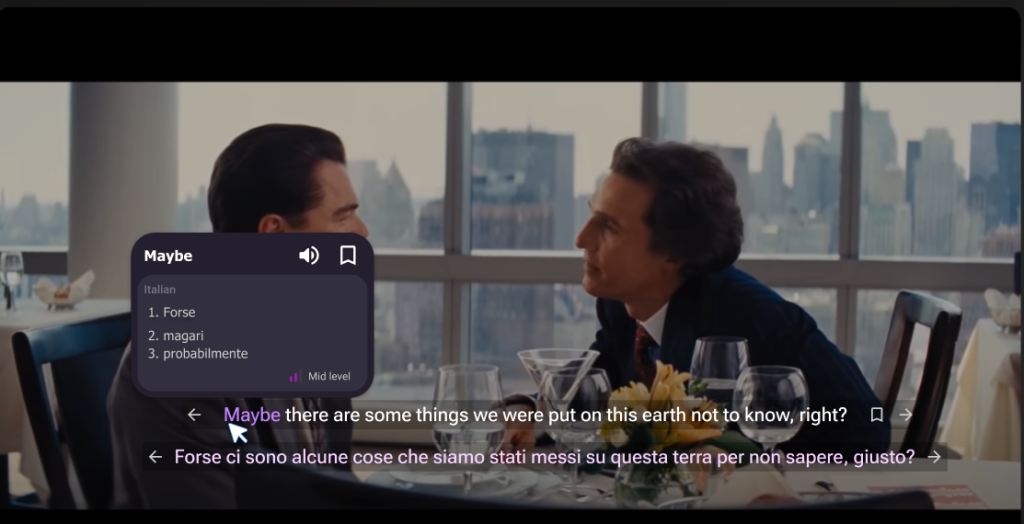
1.Hover over a word in the subtitle — a small dictionary popup will appear
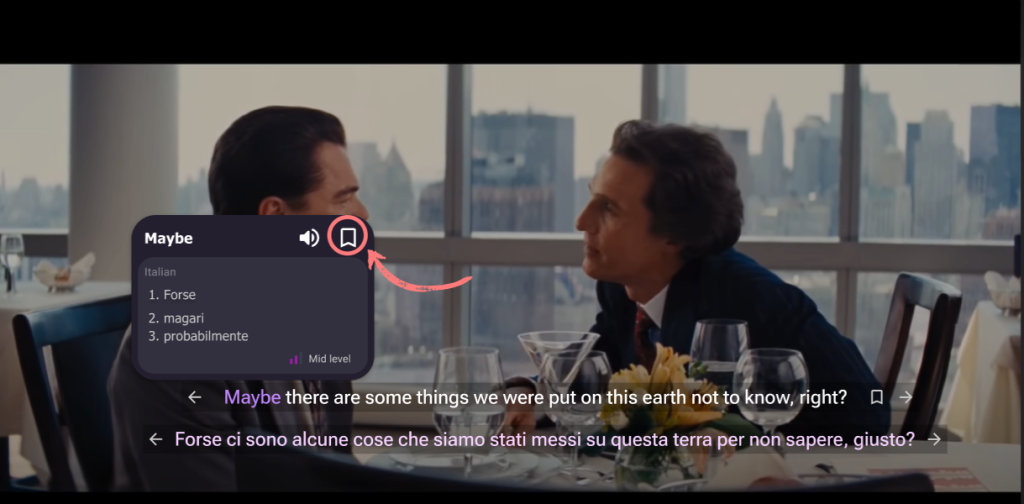
2.In the top-right corner of the popup, click the Save icon
3.The word (with translation) is added to your Saved Items
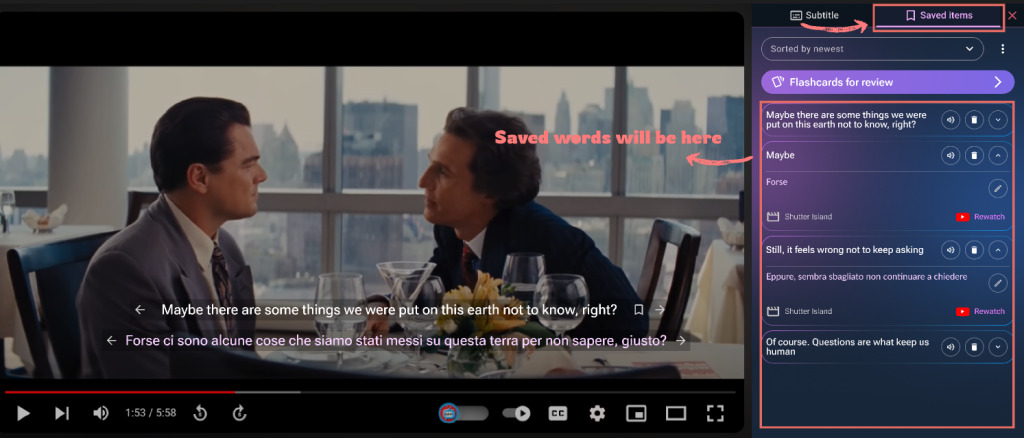
📂 Review your saved items:
- Click the “Saved Items” tab in the sidebar
- View and review your saved words and sentences, complete with translations
Start building your own collection of useful languages words & sentences —
With Save Words & Sentences, learning becomes personal.