Found a powerful quote, funny moment, or useful sentence in the subtitles?
With Share Subtitle, you can easily select, edit, and share any part of the dialogue you love or want to save.
👣 How to use Share Desired Part of Subtitle:
1-Click and drag over the subtitle to select the part you want
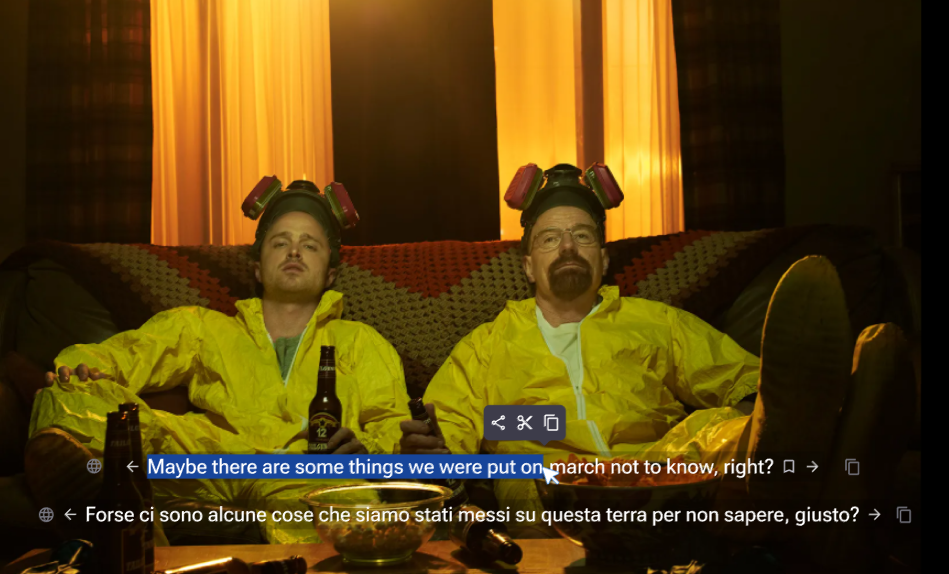
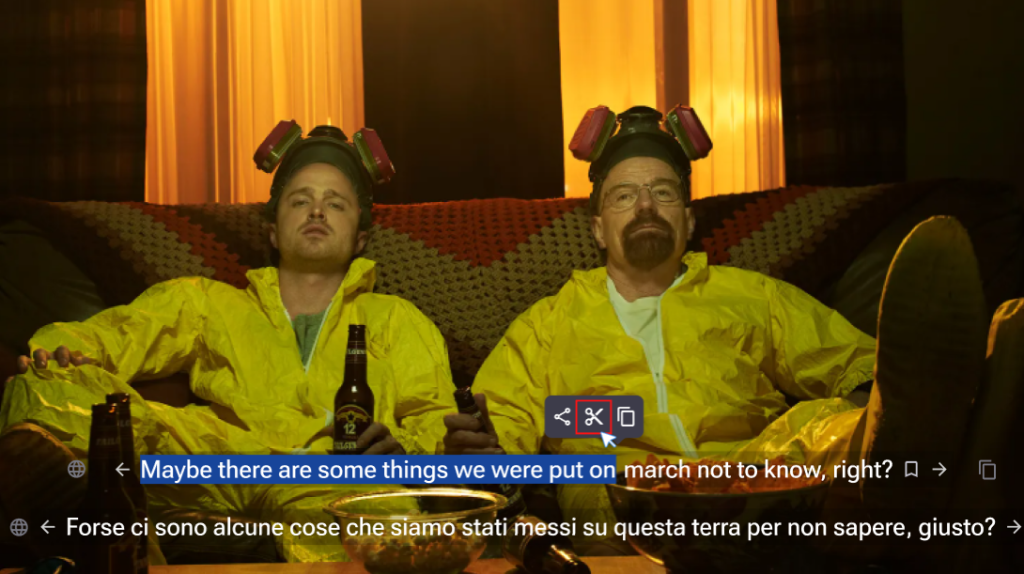
2-A small tooltip will appear with three options:
-
- ✂️ Edit – Open the full paragraph to choose a specific part
- 📤 Share – Instantly share the selected text
- 📋 Copy – Copy the text to your clipboard
3-If you choose Edit, a popup will appear with the full dialogue paragraph
4-Highlight the exact part you want to share
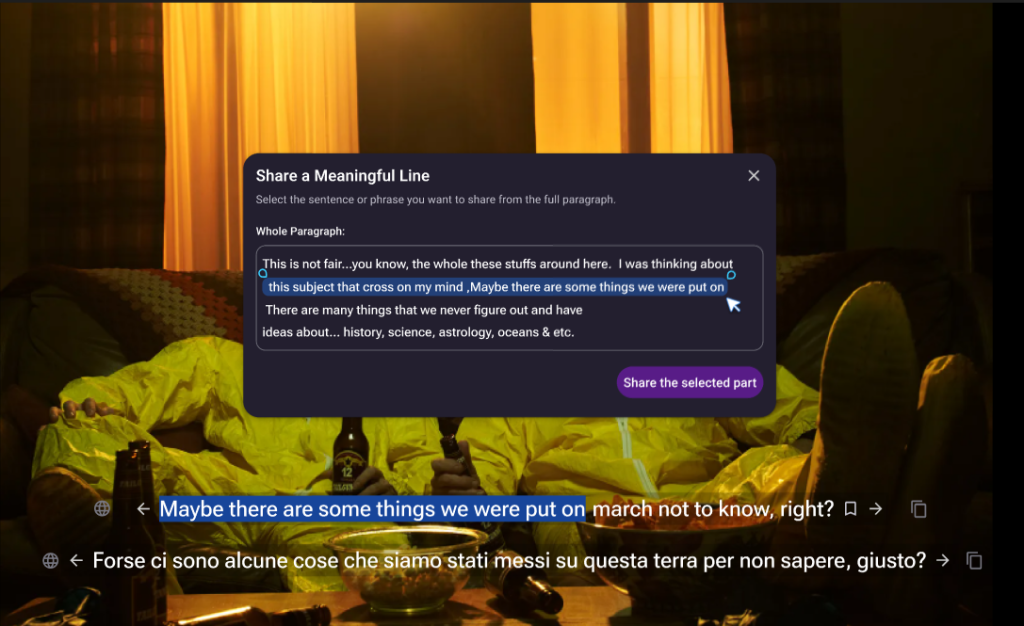
5-Click the “Share the selected part” button
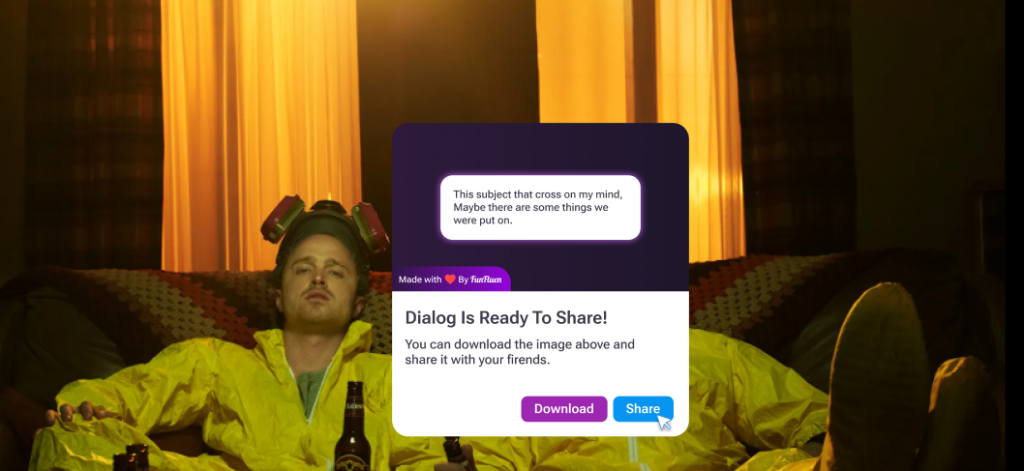
6-Choose if you want to download the desired part or share it directly, and Click the button
& done!
✨ Whether it’s for learning, sharing, or just keeping your favorite moments,
Share Subtitle makes it quick and effortless.