Your saved words and sentences are valuable — now you can download them anytime to study offline, back them up, or use them in your favorite learning tools.
✅ Why it’s helpful:
- 📂 Export your personal learning content anytime
- 📝 Study saved words & sentences offline
- 🔄 Use your data with flashcards, apps, or spreadsheets
- ✅ Stay in control of your progress
👣 How to download your saved items:
- Open the Saved Items tab in the sidebar
- Click the More (•••) icon at the top-right
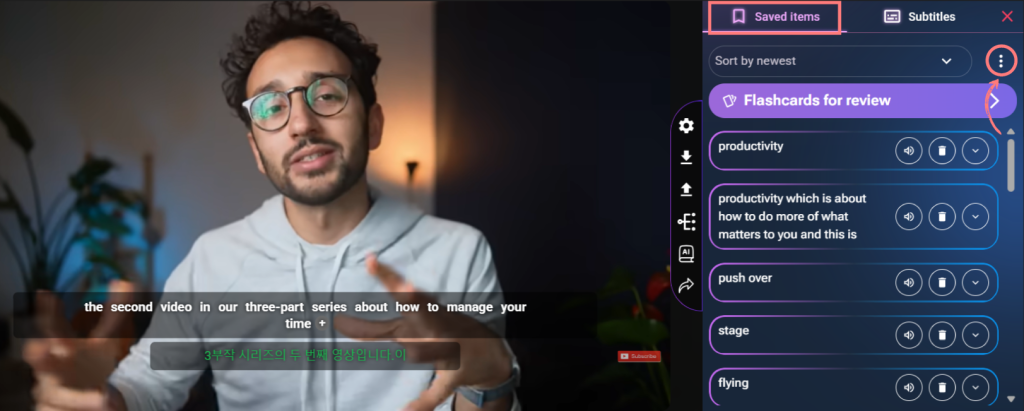
View your saved items sorted by newest for easy export. - Select “Download Saved Items”
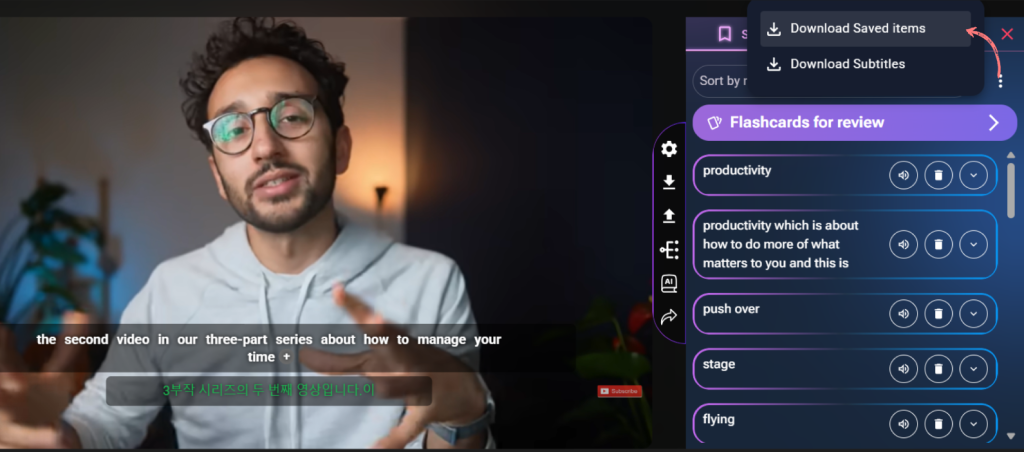
Choose between downloading saved items or subtitles. - A popup will appear — choose your desired format (e.g. .txt, .csv, .json, .anki, etc.)
- Click Download, and your personal study file is ready!
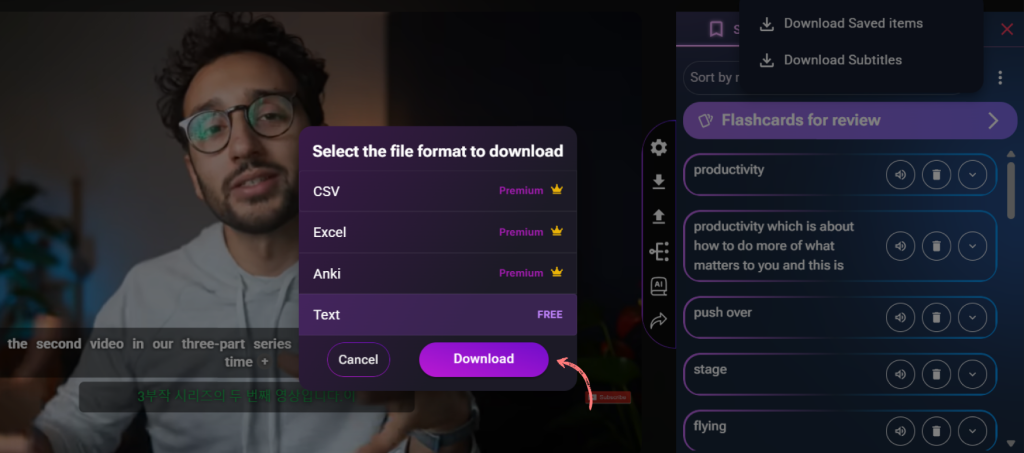
Select your preferred file format (e.g., Anki, CSV) for offline use.
🎓 Keep learning on your terms —
Download Saved Items helps you take your language journey with you, wherever you go.