Activate Chinese phonetic on the Netflix extension
over 16% of the population of the planet earth are speaking Chinese and over 40 million people learn Chinese every year. Because of all the amazing job opportunities and all the other benefits. But there is one thing that most Chinese learners struggle with: the Chinese alphabet. So that’s what the Chinses phonetics on the Netflix extension is here to help them.
If you’re a Chinese learner, you have definitely already heard that the best way to learn Chinese is by watching Chinese movies and TV shows on Netflix. But watching Netflix alone won’t help you a lot unless you watch it with the language learning with the Netflix Google Chrome extension. This Google Chrome extension gives your Netflix so many language learning options that can help you learn Chinese easier than others. Such as Chinese phonetics on the Netflix extension.
This Google Chrome extension is the only language learning program that has East-Asain languages phonetics.
Keep reading to see how this Chinese phonetics on the Netflix extension can help you become a Chinese language scientist.
Why use Chinese phonetics on the Netflix extension?
The Chinese language has 54,678 characters and very difficult writing grammar. It takes so much effort, time, and energy to learn the Chinese alphabet. It delays the time that you want to improve your listening and speaking skills, and there is a big competition in life opportunities for people who know Chinese. Mostly the people who are good at speaking will win. So you gotta be fast.
The problem is you can’t be good at Chinese speaking if you don’t know the alphabet. But with Chinese phonetics on the Netflix extension, you can.
What is pinyin phonetic?
PinYin phonetic writes Chinese words in English letters. PinYin means the “spell sound”. It literally spells Chinese words and phrases in English.
This way, you can watch Chinese shows with dual subtitles; which is possible with this Google Chrome extension.
Choose your mother language for one of the subtitles and Chinese subtitle with PinYin phonetics for the other one. So you can understand the movie and know the right pronunciation of the words. This way you can improve your Chinese speaking skills.
How to use Chinese phonetics on the Netflix extension?
How to change the upper subtitle
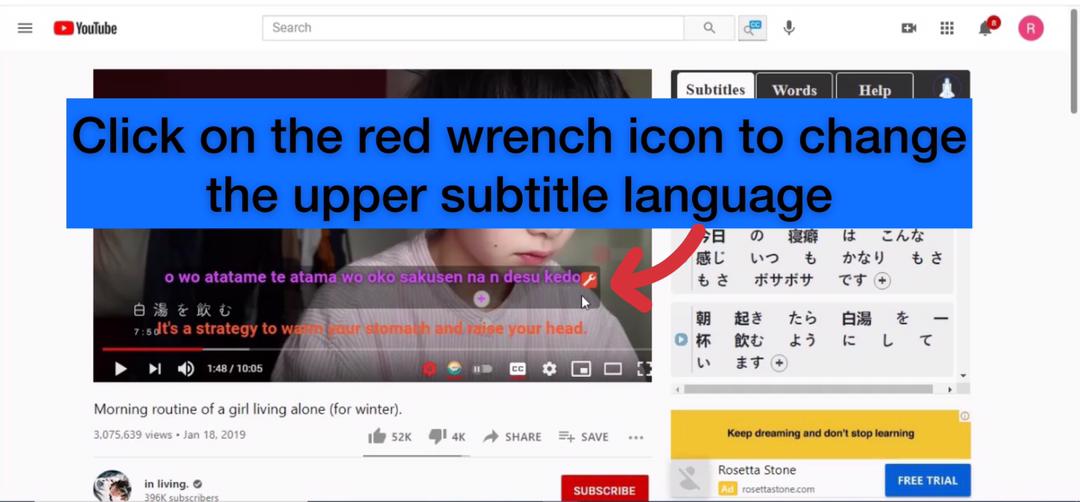
Click on the Setting Button to see all the features
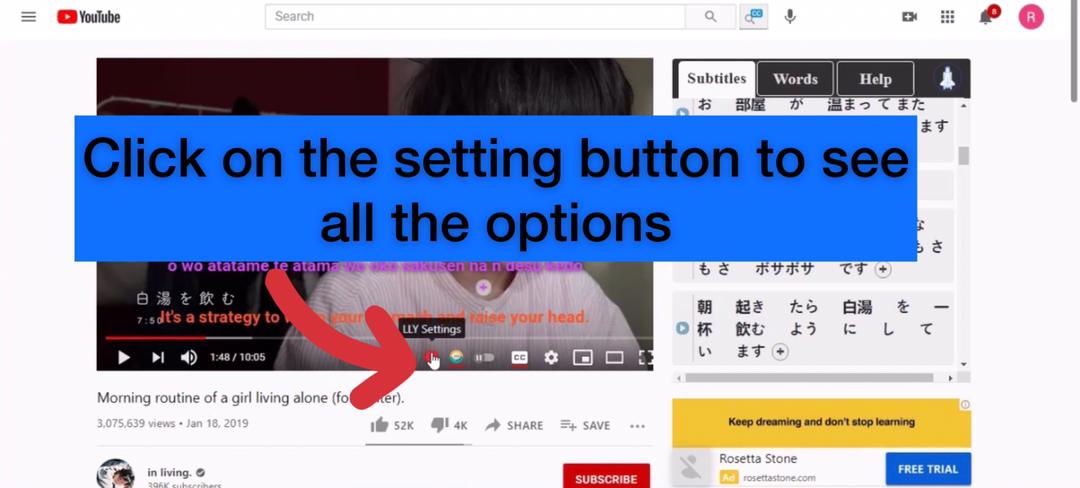
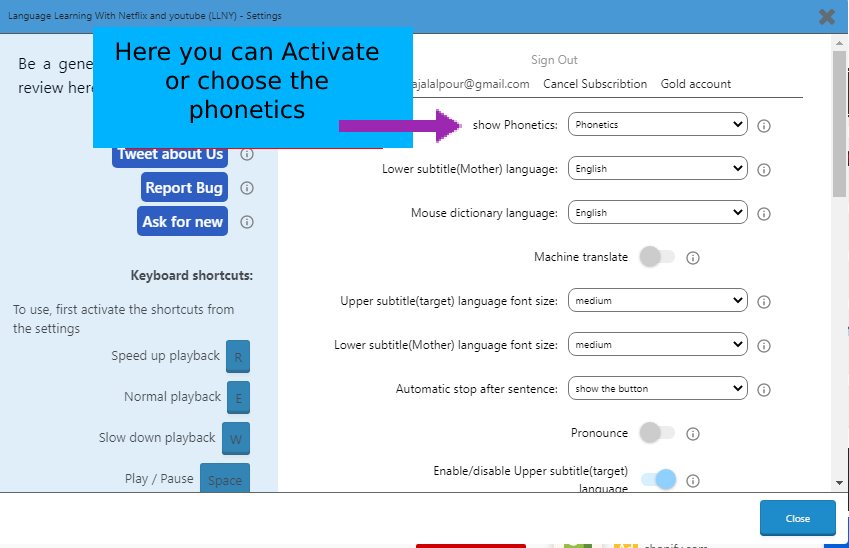
Here you can choose the Chinese phonetics on the Netflix extension.
How to use language learning with Netflix and YouTube Google Chrome extension?
Just watch this 2 minutes tutorial video to know the important features of this Netflix extension and learn how to use them. it’s super easy.
Also, check this website if you ever needed any easy tutorials for anything,