Funfluen language learning with AI and ChatGPT coach, helping users practice through movies.
Funfluen combines AI and ChatGPT to provide an immersive movie-based English learning experience.
Learning English visually can be a game-changer. That’s where Funfluen’s Mindmap feature comes in—a unique and powerful way to understand and connect ideas from your favorite movies. In this article, we’ll explore what Mindmaps are, how they work inside Funfluen, and how they can boost your language comprehension and retention in a fun and interactive way.
The Challenge of Making Language Connections
If you’ve ever watched a movie and felt overwhelmed by the number of new words, idioms, or complex grammar points, you’re not alone. Many learners encounter this issue: they enjoy content but struggle to retain what they’ve seen or link concepts together.
That’s why Funfluen created Mindmaps—to help visualize and organize key elements from the movie, like vocabulary, idioms, grammar, and even the storyline, so everything connects clearly in your mind.
What is the Mindmap Feature?
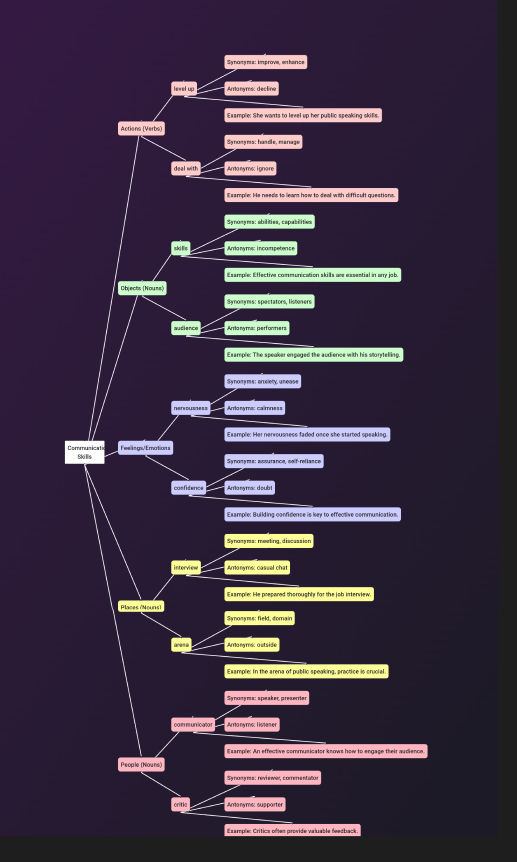
Mindmap is one of the most powerful tools inside the AI Packages provided by Funfluen. It gives you a visual overview of the most important words and phrases used in a video. Imagine watching a movie and instantly seeing how key vocabulary connects and branches out into related topics—it helps you memorize and recall new words more effectively.
Unlike a flat list, the Mindmap uses colors, spacing, and connections to activate your memory visually and contextually. This is especially useful for visual learners and anyone who wants a deeper understanding of the vocabulary in context.
With Mindmaps, you can see how these elements relate to one another and recall them more easily—helping you move from memorizing words to understanding how they’re used in real-life contexts.
How to Access the Mindmap Feature
Ready to explore your personalized Mindmap and dive deeper into the movie’s vocabulary, grammar, and key ideas? Follow these simple steps to access the AI-generated package:
1- Install the Funfluen Extension
First, download and install the Funfluen extension on your browser. It takes just a few seconds to set up.
2-Open a YouTube Video
Choose any YouTube video you’d like to learn from—ideally one with rich dialogue and context.
3-Turn on the Extension
Click the Funfluen switch button to activate the extension while watching the video.
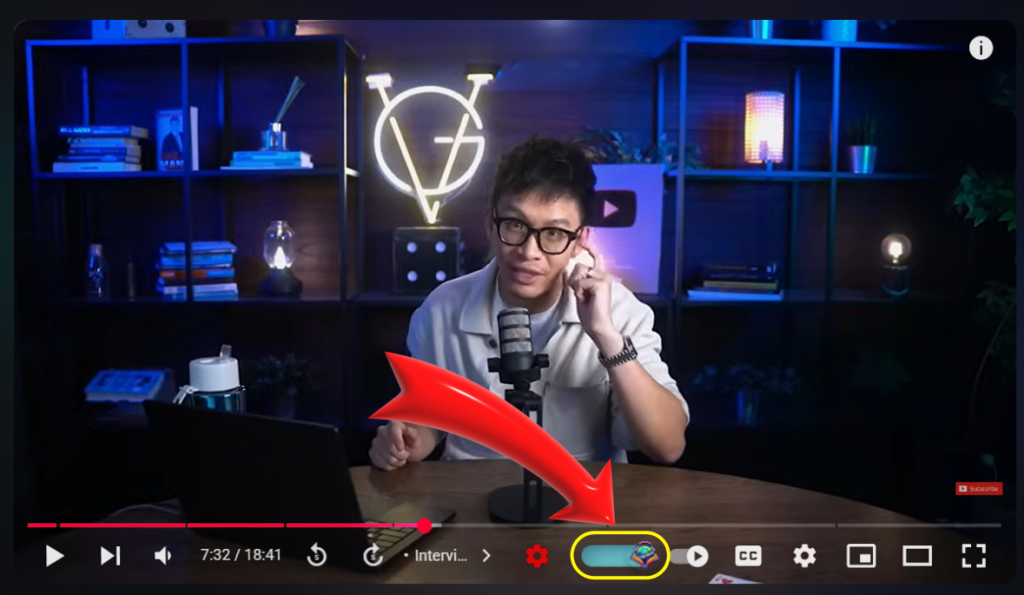
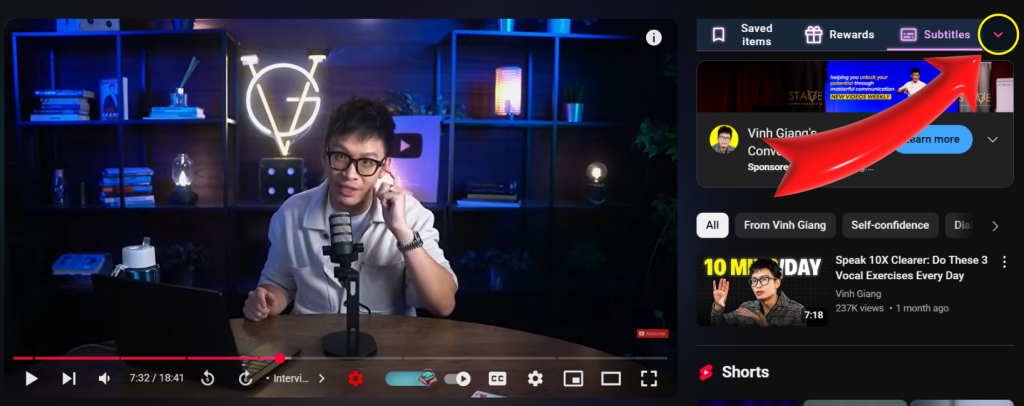
4-Open the Sidebar
Once the extension is active, open the Funfluen sidebar to access more tools.
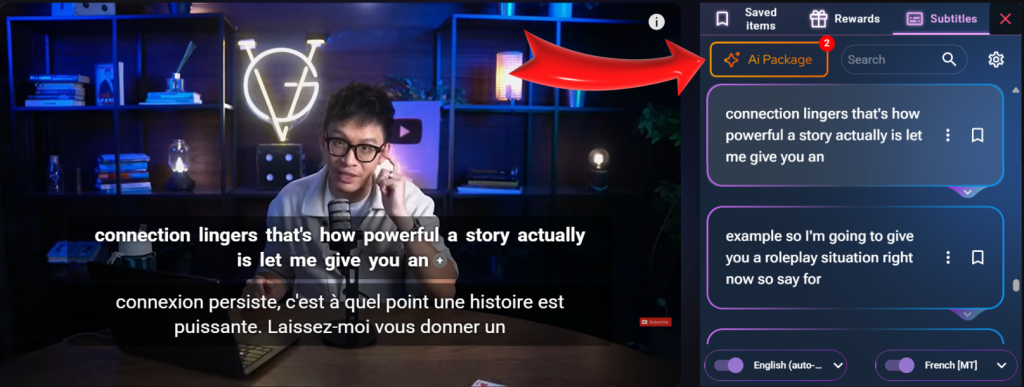
5-Click “AI Packages” from the Top Menu
At the top of the sidebar, select the “AI Packages” tab. This is where all the smart features are gathered.
6-Explore the Mindmap!
Once the AI package loads, you’ll see the Mindmap section included. You can visually explore key topics, vocabulary, grammar, and more in a structured, easy-to-follow format.
Note: Please make sure you’ve selected your first language and target (second) language inside Funfluen. Without this, the AI package—including the Mindmap—may not be generated correctly.
Why Use Mindmaps?
Let’s break down the benefits:
- Boost Memory Retention: Seeing the relationship between terms helps reinforce learning.
- Contextual Understanding: Learn how words and grammar appear in specific scenes or situations.
- Quick Review Tool: Use the map to revisit learned content at any time.
- Engaging and Fun: Mindmaps turn dry word lists into a visual learning adventure.
When to Use the Mindmap
Here are some practical ways to include Mindmaps in your routine:
- 📌 Before watching: Skim the Mindmap to get familiar with key terms.
- 🎬 During watching: Pause and check the Mindmap for new words or idioms.
- ✅ After watching: Review the Mindmap to reinforce what you learned.
Real Users, Real Results
“I never knew mindmaps could be so useful for learning English. I use them after every movie now, and it helps me remember things without even trying!”
– Ana, Spain
“It connects the dots between vocabulary, grammar, and idioms like no textbook ever could.”
– Jamal, Egypt
Conclusion: Map Your Way to English Mastery
Funfluen’s Mindmap feature is more than just a visual aid—it’s a powerful way to see the language, not just hear it. By turning each movie into an organized, interactive learning web, you’ll retain more, understand faster, and enjoy the process.
Start using Mindmaps today and explore the smarter way to learn English with AI.
Ready to turn your favorite movies into a powerful learning tool? Try the Mindmap feature inside your next AI package and see how visual learning can change the game.
Explore More Language Learning Tips and Resources
- https://extension.appforlanguage.com/learning-english-with-ai/
- https://extension.appforlanguage.com/fluency-gym-active-english-practice/
- https://extension.appforlanguage.com/fluency-gym-reading-skills/