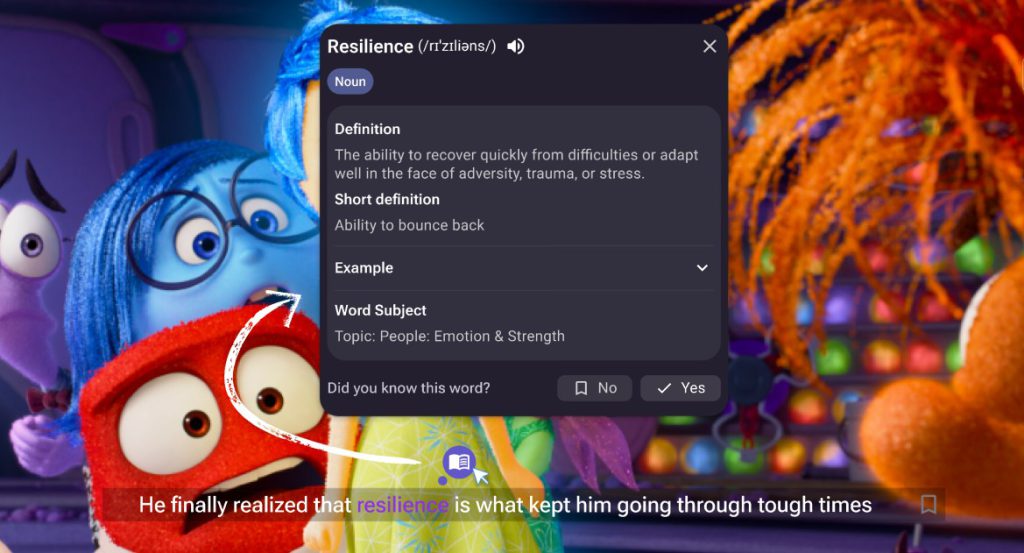
Learn smarter, not harder.
With Magic Roadmap Words, you’ll only see the words that really matter for your English level — directly while watching movies and videos on YouTube, Netflix or Disney Plus.
These keywords are highlighted with helpful colors and a 📘 book icon, so you can spot and learn them at the right moment — without distractions.
✅ Why it’s helpful:
- 🎯 Highlights key words based on your English level
- 🧠 Helps you focus on what matters, not every word
- 📖 Click the book icon above each word to see meanings and details
- 🟨 Color-coded for easy recognition while watching
- 🔁 Reinforces your learning by connecting visuals and meaning
👣 How to use Magic Roadmap Words:
1.Click the Roadmap icon in the Extension menu while watching a video
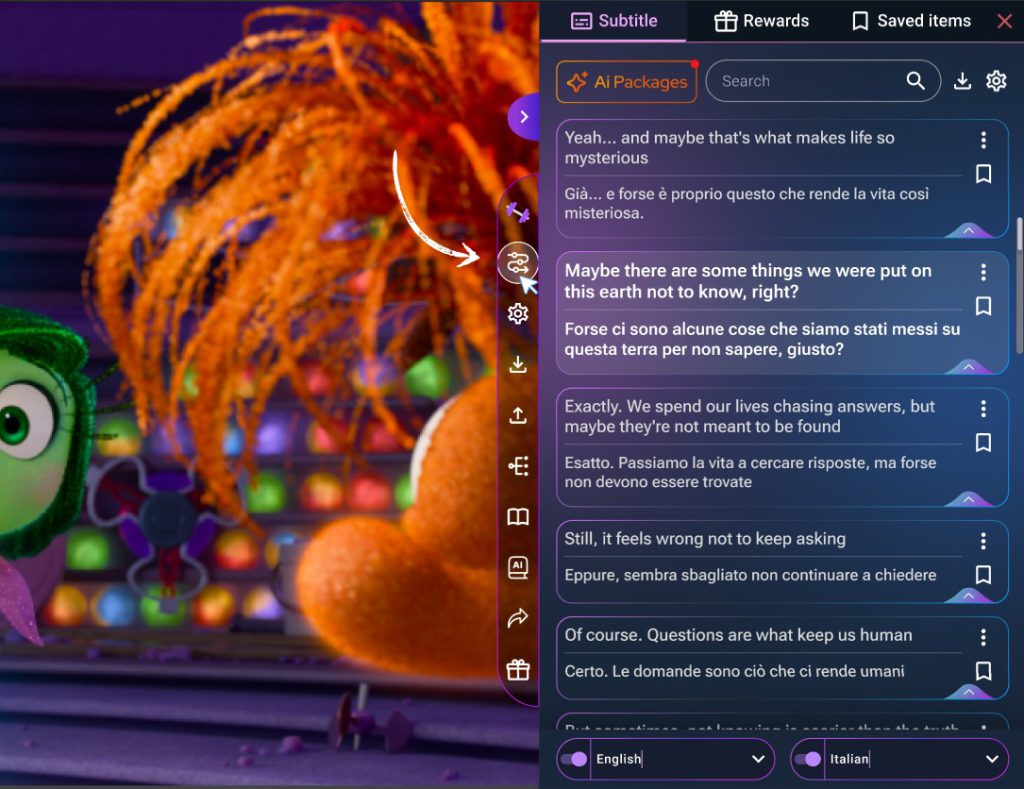
2.A small tab will open — just turn on the switch button
(At the bottom of the mini tab, there’s a “View Core Words List” button, You can click it to see the full Core Words List list behind these highlighted words!)
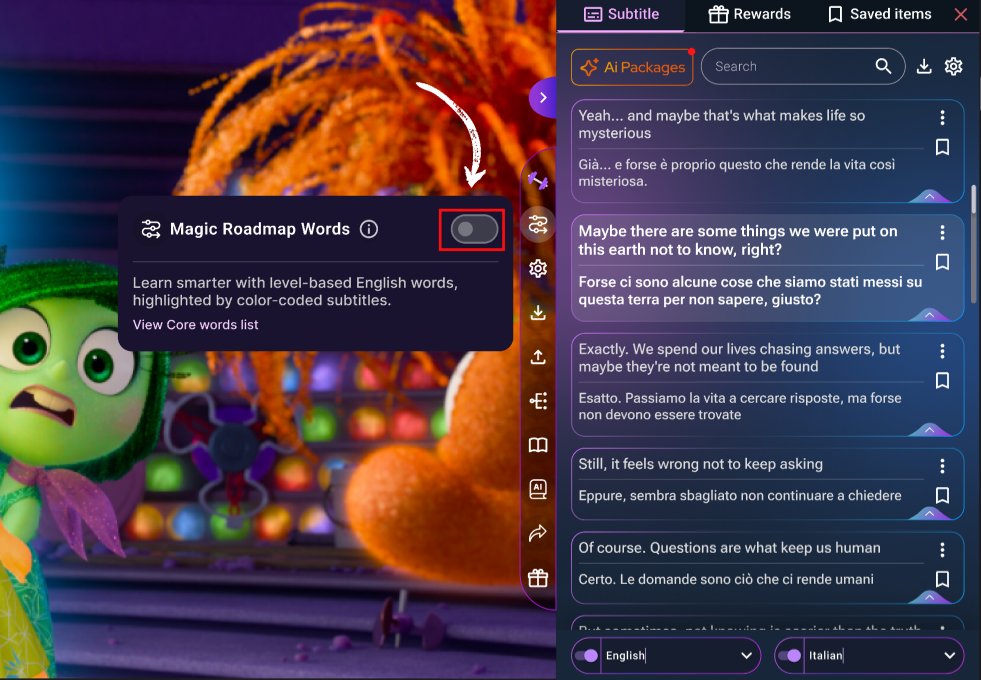
3.Watch as important words in the subtitles become color-coded
4.Tap the 📘 icon above any highlighted word to:
-
- See the meaning
- Check the level
- Learn how it’s used